
A relay may be the only hop between your application and an AI model, so a failure can look like a model problem when the fault sits elsewhere. A test response is useful evidence, but not a service guarantee. If you are comparing gateway architecture as well, our guide to how to choose an API gateway can help you separate traffic management from provider selection.
So, Are API endpoint checks useful for spotting problems before choosing a relay service? Yes, when you treat them as focused diagnostics: send a representative, low-risk request, verify the returned content and model, and compare latency. Then assess uptime history, quotas, costs, privacy, and support before routing production traffic.
What can an API endpoint check tell you?
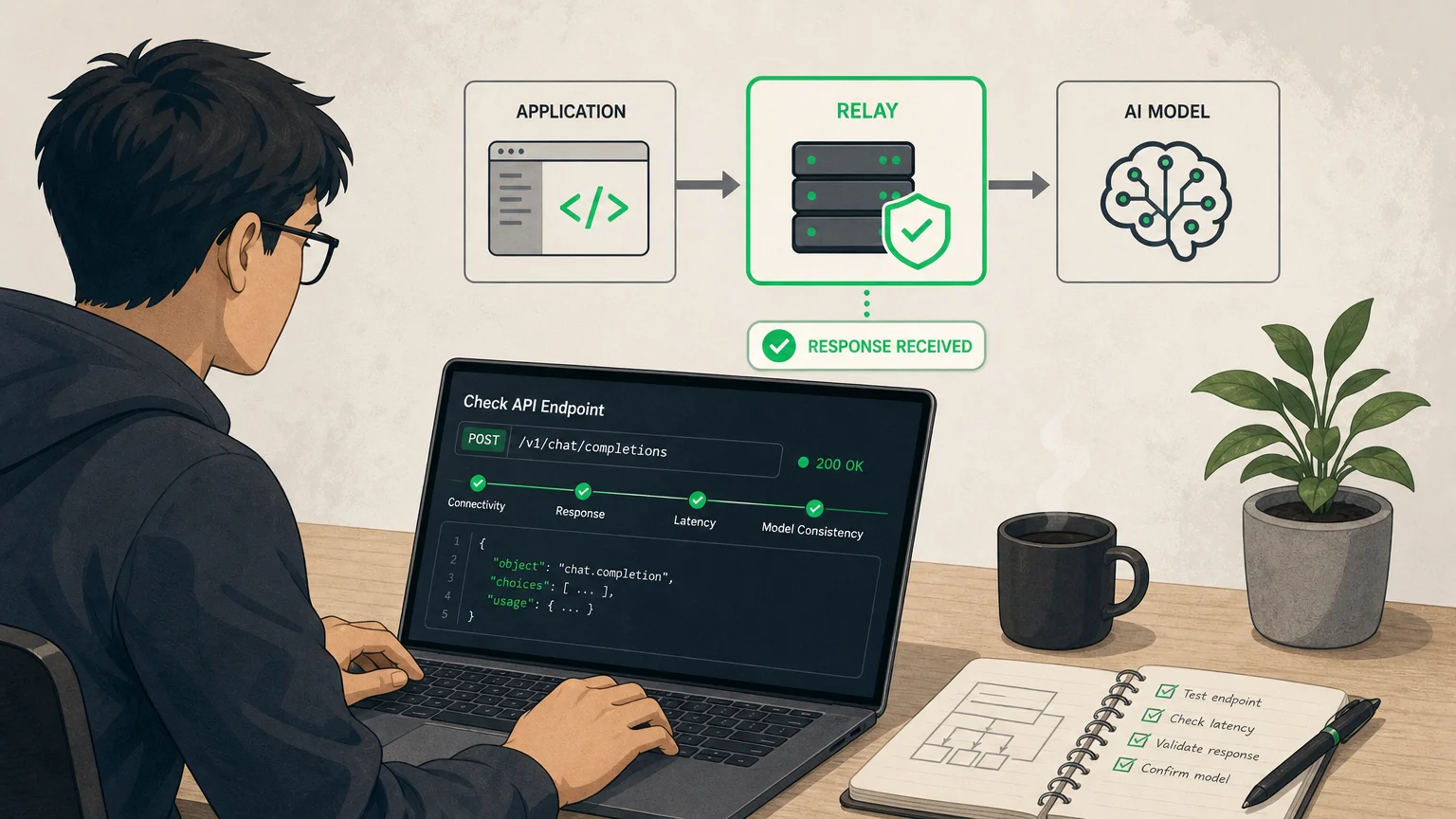
Imagine your application gets an error before it receives an answer. An endpoint check can help determine whether the relay address is reachable, the key is accepted, and a request for a particular model gets a response. That narrows the fault before you integrate the relay into your code.
A useful check looks beyond whether the server answered. Confirm that the response body contains the expected kind of content, that the requested model appears to be served consistently, and that the request completes within a reasonable time. A fast response containing an error message or an unexpected model is not a successful test.
At a minimum, check these signals:
- Connectivity and availability: Can the client reach the endpoint and receive a response?
- Response characteristics: Does the body contain the expected content and format?
- Latency: How long does the request take, and is that speed suitable for your workload?
- Model consistency: Does the service appear to respond as the requested model?
These checks provide a practical first look, not a complete performance test. A short prompt is useful for initial screening, but it cannot confirm how an endpoint handles your longer requests, streaming, concurrent users, or peak demand.
Why is one successful response not enough?
A single test is a snapshot. It cannot tell you whether the same endpoint will remain available tomorrow, behave consistently during a busy period, or respond as quickly from your application’s region. A temporary network issue can also make a healthy service appear unavailable, while a brief successful response can conceal a developing problem.
Repeated observations give you a more useful signal. Run the same safe request at different times, record the response and latency, and compare the results. If possible, test from the region where your application will run. Keep the request consistent so that changes are easier to interpret.
A 2026 Nordic APIs analysis of public incident reports from October 2025 through February 2026 found that AI and machine learning services in its sample averaged more incidents per service than other categories. The analysis used provider-published status reports, so its figures reflect what those providers disclosed, not a complete or independent uptime measurement. It is a reason to check recent history and repeat your own tests, not a prediction about any one relay.
For a broader comparison, review reported online rates alongside the test result. Check the measurement period and sample size where available. A displayed rate based on repeated probes answers a different question from one response returned by a manual check.
How can you run a useful check safely?
Start with a request that resembles your expected workload, but keep it low-risk. Use a non-sensitive prompt and a key with only the access you need. Avoid sending confidential content simply to see whether a third-party service responds.
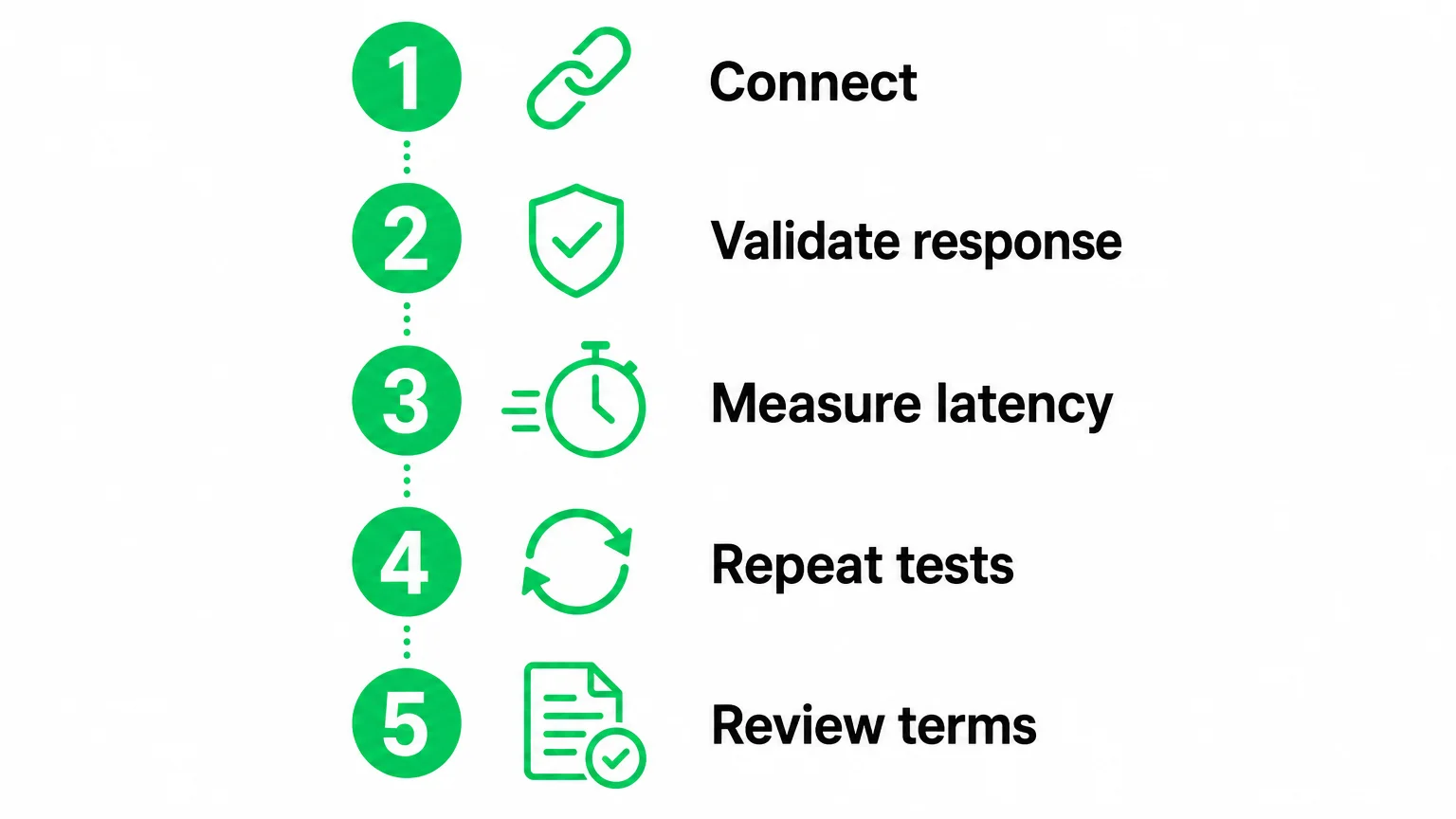
- Confirm the API address, authentication format, and model name against the provider’s documentation.
- Send a simple, representative request and inspect the status, response body, and returned model information.
- Repeat the request and record response times, errors, and any differences in output.
- Test other important behaviors, such as streaming or longer inputs, if your application depends on them.
- Review the provider’s limits and terms before routing real traffic.
Be mindful of usage charges even during testing. Requests, token consumption, and response stability can vary by model, task, and tool. Start with a free quota or a low-cost plan where available, and avoid a large initial commitment while you are still learning how the service behaves.
If a test fails, check the simplest causes first: a misspelled endpoint, an incorrect key, a model name that is not supported, or a request format the service does not accept. A failed test does not, by itself, prove that the provider is unreliable. It may reveal a configuration issue that you can confirm against the documentation.
What should you compare beyond connectivity?
Connectivity is only one part of choosing an AI API relay. Compare the models you need, observed latency, pricing, quotas, and any restrictions on use. Review how billing is calculated and whether overage rules, availability, and supported models match your workload. Confirm current details with the provider before you buy, since terms and service conditions can change.
A 2026 industrial experience report on third-party API integrations describes provider selection as involving factors such as latency, cost, quotas, completion rate, eligibility, and recovery behavior. In practice, that means you should compare a relay against the needs of your application, not select it on one test response alone.
Our relay comparisons bring together observed online rate, latency, price, model coverage, sample size, model consistency, and risk notices. Our API check accepts an address and model, then checks connectivity, response characteristics, latency, and model consistency signals. We also describe our ongoing tests with real API keys and our review of public provider pages, documentation, and visible behavior as part of our comparison approach. These checks can help surface clearly abnormal interfaces, but they cannot guarantee future performance.
When you are ready to compare providers, you can browse available API providers using those broader criteria. Treat any listing or test as a starting point, then confirm current pricing, limits, and terms with the provider.
Why do endpoint checks not establish security or privacy?
A connection test can show that a request reached an endpoint and received a response. It cannot establish how a relay stores prompts, handles keys, shares data, or applies access controls. Those questions require a review of the provider’s privacy information, security documentation, and applicable terms.
Keep availability, response quality, and security as separate checks. Review how the provider handles request data and credentials, what retention terms apply, and whether the service’s rules allow your intended use. If these details are unclear, ask the provider before sending sensitive or production data.
An Akamai 2026 study reports that 16% of enterprises fully integrate API security testing into development pipelines. That finding concerns organizations’ API security practices, not relay services specifically, but it underlines why a connectivity test should not be mistaken for a security assessment.
For a third-party relay, consider a gradual rollout. Begin with a limited workload, monitor errors and latency, and check usage against the provider’s billing information. Keep a fallback plan if a relay becomes unavailable or no longer fits your requirements.
Use endpoint checks as one part of your decision
API endpoint checks are useful for detecting immediate problems with reachability, authentication, response behavior, latency, or model consistency. They do not prove that a relay will remain reliable, secure, affordable, or suitable for your production workload. Repeat the tests, compare multiple service signals, review the provider’s terms, and start small. A relay endpoint check is a screening step, not the final verdict.
Check an API endpoint before you commit traffic
If you want to screen an endpoint before trying a relay, use a focused test to check whether it connects, how it responds, how long it takes, and whether its model behavior appears consistent. Consider the result alongside your own workload and the provider’s current terms.
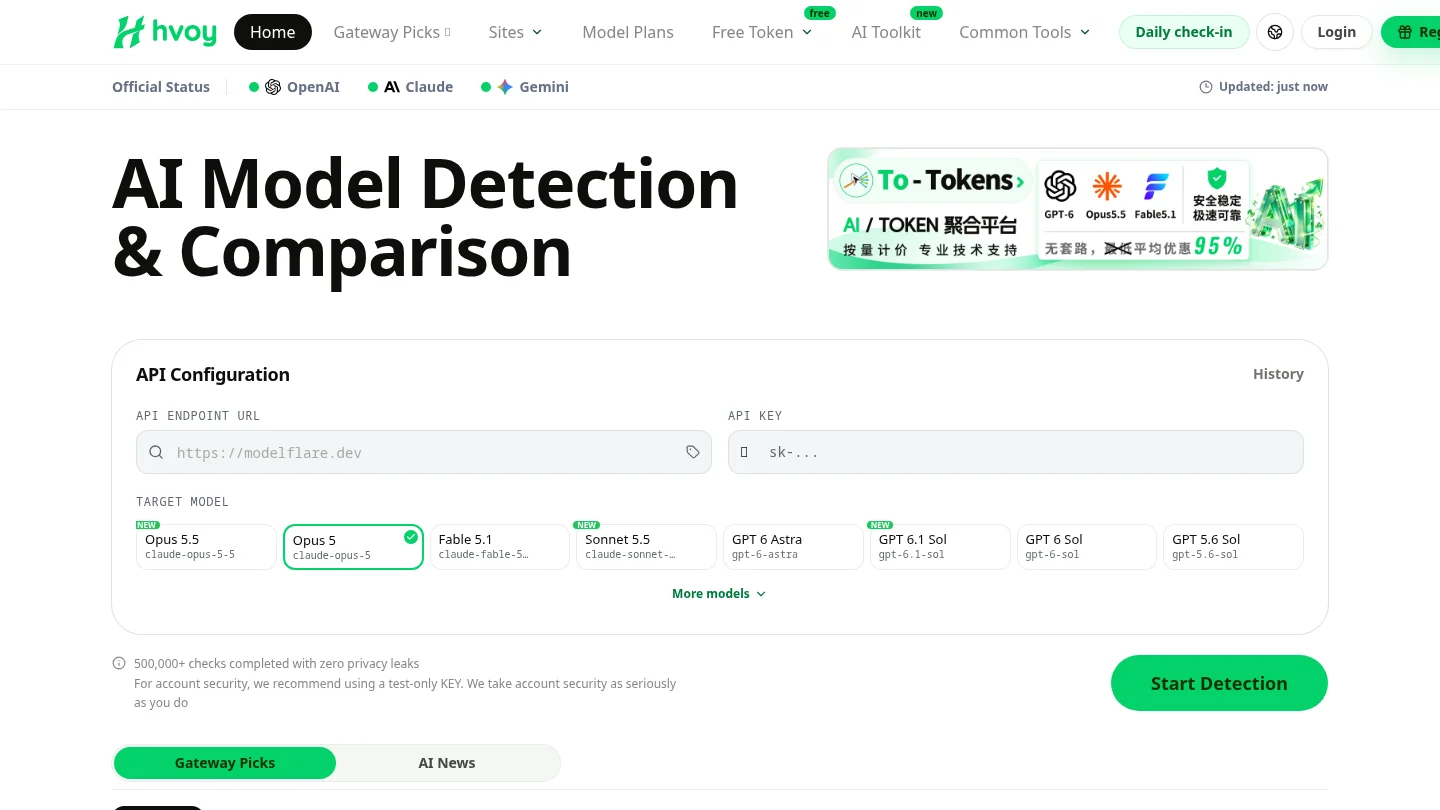
Our API endpoint tester checks an API address and model for connectivity, response characteristics, latency, and model-consistency signals. Use those results to spot clearly abnormal interfaces, then review provider details and begin with a low-cost plan or free quota where available. A test can inform your choice, but it cannot guarantee future service performance.
Frequently Asked Questions
What does an API endpoint check test?
It can check whether an address is reachable and whether a request using a particular model receives a response. Depending on the check, it can also help you inspect response characteristics, latency, and model-consistency signals.
Can one successful request prove a relay is reliable?
No. It only shows that one request succeeded under those conditions. Repeat checks over time and compare them with other provider information before deciding.
Should I test with my production API key?
Use only the credentials and permissions needed for a low-risk test, and avoid sending sensitive prompts. Check the provider’s terms and consider a limited quota before routing production traffic.
Does an endpoint check verify a relay’s privacy practices?
No. A response test does not establish how the service handles prompts, keys, or retained data. Review its privacy information, security documentation, and terms separately.
How can hvoy AI help me screen a relay?
Our API endpoint tester checks connectivity, response characteristics, latency, and model-consistency signals for an API address and model. You can use those results alongside our provider comparisons, while confirming current terms with the provider.