
The best AI for coding depends on where you work, how much of your repository the tool can understand, and what it may do without approval. Cursor is a practical place to start for everyday IDE work; Claude Code and Aider suit task-based coding. We also maintain a broader directory of AI coding assistants for comparing options.
Adoption alone does not establish usefulness. Stack Overflow’s 2025 survey found that 84% of respondents were using or planning to use AI tools, while 46% distrusted their accuracy. Those findings make review controls and testing on your own repository as important as completion speed. Evaluate each tool with a real task, tests, diff review, and measured usage, rather than relying only on model claims. The survey’s AI findings provide useful context.
AI coding tools compared at a glance
| Rank | Tool | Workflow | Context and task handling | Choice, control, and cost |
|---|---|---|---|---|
| 1 | Cursor | AI-oriented IDE | Editor-based assistance and multi-file tasks | Multiple model options; check usage terms |
| 2 | Claude Code | Terminal-centered coding agent | Repository tasks and command-based work | Claude models; review edits and commands |
| 3 | GitHub Copilot | IDE and GitHub assistance | Completions, chat, and agent workflows | Several plans; agent usage may draw on credits |
| 4 | OpenAI Codex | Cloud, editor, and terminal agent | Delegated coding tasks and parallel work | OpenAI models; access depends on plan |
| 5 | OpenCode | Open-source coding agent | Planning and coding in a repository | Provider choice; review command permissions |
| 6 | Aider | Terminal-based pair programming | Codebase mapping and Git-based changes | Multiple model providers; model costs vary |
| 7 | Windsurf | AI-oriented editor | Editor assistance and agent workflows | Check current plans and usage limits |
| 8 | Gemini Code Assist | IDE coding assistance | Google development ecosystem | Check current access and plan terms |
| 9 | Amazon Q Developer | IDE, terminal, and AWS assistance | Coding tasks with AWS-specific support | Free and paid options; support timeline matters |
| 10 | Continue | Open-source IDE extension and CLI | Chat, edits, autocomplete, and agents | Configure a model provider and account for its costs |
| 11 | Augment Code | Enterprise agent platform | Ticket, coding, review, and verification workflows | Team-oriented scope; confirm current terms |
| 12 | CodeGPT | IDE-based coding agent | Plans changes before editing | Bring your own keys or use credits |
How to evaluate an AI coding tool
What should you test before choosing? Give each shortlisted tool the same task in a repository you know. Ask it to find the relevant files, explain a proposed change, make the change, and run the appropriate tests. Compare the final diff, corrections needed, and usage consumed. This provides more useful evidence for your work than a product’s position on a benchmark alone.
METR’s early-2025 randomized study found that experienced open-source developers took 20% longer on familiar maintenance tasks with the AI tools tested. That result applies to its participants, projects, tools, and study period, not to every current assistant or coding task. METR’s study details help explain why you should measure your own workflow.
Benchmarks can still help frame a comparison, but they do not reproduce every team’s codebase or review process. SWE-bench, for example, assesses whether systems can resolve real-world software issues from repository context. Treat its results as one signal, not a substitute for testing integration, permissions, reliability, and cost in your environment. The original SWE-bench paper describes its task design.
Also separate the editor or agent from the model and its billing. A tool may have a subscription, usage credits, or a bring-your-own-key setup where the model provider bills separately. If you use long-running agents, compare quota periods, concurrency, and overage terms alongside the monthly price. Our coding plan comparisons cover those factors across third-party plans.
1. Cursor
Best for: Developers who want an AI-focused editor for everyday coding, with assistance close to their code and options for different models.
Cursor combines an editor experience with chat, code completion, and agent-style tasks. That makes it a useful starting point when you want to ask questions, propose changes, and review edits without building a separate terminal workflow. Consider whether adopting another editor fits your existing setup before making it your daily environment.
Pros:
- Brings editing and AI assistance together in one workflow.
- Offers model choice for different coding tasks.
- Supports agent workflows that can involve multiple files.
Cons:
- Moving to an AI-focused editor may add friction if your current IDE is heavily customized.
- Check the current plan’s usage terms before relying on frequent agent sessions.
2. Claude Code
Best for: Developers who are comfortable with command-line tools and want an agent to help investigate and change a repository.
Claude Code is a terminal-centered coding agent for working through repository tasks. It can help with changes that require examining several files, while the command-line workflow suits developers who already use terminals, tests, and Git. Review its proposed edits and command actions rather than treating an agent’s completed task as proof that the change is correct.
Pros:
- Fits terminal-based development workflows.
- Can assist with repository-level tasks rather than only the next line of code.
- Pairs naturally with test and review steps you already use.
Cons:
- May feel less direct than an editor-based assistant if you prefer visual, inline guidance.
- Usage depends on the applicable plan or provider arrangement.
3. GitHub Copilot
Best for: Developers and teams who want coding assistance in supported IDEs and GitHub workflows.
GitHub Copilot offers inline completions and chat, with agent features for broader development tasks. Its range of IDE and GitHub touchpoints can make it a convenient fit when those tools are already central to your work. Team buyers should check how model selection, governance, included usage, and any paid usage limits apply to their chosen plan.
Pros:
- Works within familiar IDE and GitHub workflows.
- Combines code suggestions with chat and agent features.
- Provides organizational controls on team-oriented plans.
Cons:
- Agent and premium model use can have different billing rules from code completions.
- Plan features and limits vary, so confirm the current terms before rollout.
4. OpenAI Codex
Best for: Developers who want to delegate bounded coding tasks and review the results.
OpenAI Codex supports coding workflows across ChatGPT, editors, and the terminal. Its cloud-based agents can work on tasks while you monitor progress and inspect the output. This delegated approach can suit clearly defined bugs or refactors, but it still requires you to set acceptance criteria and review the resulting changes.
Pros:
- Supports coding across more than one work surface.
- Can assist with delegated and parallel tasks.
- Lets you review progress and changes rather than accepting output blindly.
Cons:
- Cloud delegation may be a poor fit when your code must remain in a restricted environment.
- Availability and usage depend on your plan and task volume.
5. OpenCode
Best for: Developers who want an open-source coding agent and prefer choosing their model provider.
OpenCode offers planning and build workflows for repository work. Its provider flexibility can help you compare models or use a preferred service. That flexibility also means you must understand the provider’s data terms, configure access, and track inference charges where applicable. Review permissions for file changes and shell commands as part of setup.
Pros:
- Open-source software with a choice of model providers.
- Includes a read-only planning workflow as well as a build workflow.
- Requests permission before running shell commands.
Cons:
- Provider and model setup requires more involvement than a bundled assistant.
- Software access does not necessarily include model usage; check provider billing.
6. Aider
Best for: Terminal users who want AI-assisted edits within a Git-centered workflow.
Aider pairs with language models to work on new or existing codebases. Its codebase map can help it identify relevant project areas, while Git integration makes changes easier to inspect and undo. It can also work with local or cloud models, so your experience and cost depend partly on the model you select.
Pros:
- Connects AI changes to familiar Git review and recovery practices.
- Supports cloud and local language models.
- Can run linting and tests as part of the editing loop.
Cons:
- Terminal use and model configuration may take more setup than an IDE extension.
- You need to account for separate model costs when using a paid provider.
7. Windsurf
Best for: Developers willing to work in an AI-focused editor with agent-style assistance.
Windsurf brings AI features into an editor workflow, making it an option for developers who want code assistance and task-oriented interactions in one place. Compare its editing experience with Cursor using the same repository task. Plan names, included usage, and limits can change, so review the current terms before selecting it for regular agent use.
Pros:
- Combines an editor environment with AI assistance.
- Offers an agent-oriented workflow for coding tasks.
- May suit developers who prefer a dedicated AI editor.
Cons:
- Adopting a separate editor is a consideration if your team already standardizes on another environment.
- Check current usage allowances before estimating ongoing costs.
8. Gemini Code Assist
Best for: Developers who want coding assistance connected to Google’s development ecosystem.
Gemini Code Assist is an IDE-oriented coding assistant. It is worth comparing when your development work already relies on Google tools, but check the supported environments and plan terms for your particular setup. Test it on representative code, especially if the project requires complex changes across many files.
Pros:
- Provides coding assistance in an IDE workflow.
- May fit more naturally when your projects use Google development services.
- Can be evaluated against real project tasks before wider use.
Cons:
- The value of its ecosystem fit may be lower if your team uses other platforms.
- Confirm current access, supported features, and usage limits.
9. Amazon Q Developer
Best for: Developers working with AWS who want coding assistance alongside cloud-specific guidance.
Amazon Q Developer supports coding work in IDEs and terminals, with features for AWS development and broader software tasks. Its AWS focus can make it useful for infrastructure and cloud workflows. AWS states that support for its IDE plugins will end on April 30, 2027, so consider the announced timeline when planning a long-term setup.
Pros:
- Connects coding assistance with AWS-related development work.
- Supports IDE and command-line workflows.
- Includes agentic capabilities for tasks such as testing, documentation, and refactoring.
Cons:
- AWS’s announced IDE plugin support end date is April 30, 2027.
- Its ecosystem focus may be less useful for projects with little AWS involvement.
10. Continue
Best for: Developers who want an open-source assistant inside a supported IDE, with a terminal option.
Continue offers chat, edit, autocomplete, and agent modes through IDE extensions, as well as a terminal-native interface. Its configurable approach suits developers who want to shape their own model and agent setup. That also means you should expect to make choices about providers, configuration, and usage costs.
Pros:
- Offers several modes, from code questions to task-oriented assistance.
- Supports IDE and terminal workflows.
- Open-source software gives developers flexibility over their setup.
Cons:
- Configuration is more hands-on than a fully bundled coding assistant.
- Model quality and cost depend on the provider you choose.
11. Augment Code
Best for: Engineering teams assessing agents for coordinated software delivery and codebase-oriented work.
Augment Code’s current platform emphasizes connected workflows such as ticket implementation, code review, vulnerability remediation, and verification. That scope is aimed at teams coordinating work across development stages, rather than developers seeking only inline autocomplete. Assess the approval points, deployment model, integrations, and fit with your existing process before evaluating it against individual IDE assistants.
Pros:
- Addresses several stages of a team development workflow.
- Includes human review gates for consequential work.
- Offers managed and customer infrastructure options for its platform.
Cons:
- A coordinated team platform may be more than a solo developer needs.
- Evaluate the full workflow and deployment requirements, not just code generation.
12. CodeGPT
Best for: Developers who want an IDE coding agent with model choice and visible approval steps.
CodeGPT is available for VS Code and JetBrains environments. It can read a codebase, propose a plan, and wait for approval before making changes. Its model options include cloud and open models, while payment can involve your own API keys or the service’s credits. Check both the tool’s terms and your chosen model provider’s billing and data policies.
Pros:
- Shows a plan for review before making edits.
- Offers multiple model choices, including local model options.
- Requires approval before terminal actions change files or state.
Cons:
- Managing your own model keys means monitoring provider costs and credentials.
- Credit-based and provider-billed usage should be compared separately.
Conclusion
Choose the right AI coding assistant by starting with your editor or terminal workflow, then checking repository context, approval controls, and the full cost of model usage. Cursor and Copilot are convenient IDE starting points; Claude Code, Codex, Aider, and OpenCode suit different agent workflows. Test a short list on real code, review every change, and confirm current provider terms before scaling up.
Compare coding plans for your workflow
Your coding assistant is only one part of the decision. Models, quotas, billing windows, concurrency, and overage rules can affect whether a plan suits individual work, a team, or longer-running agents.
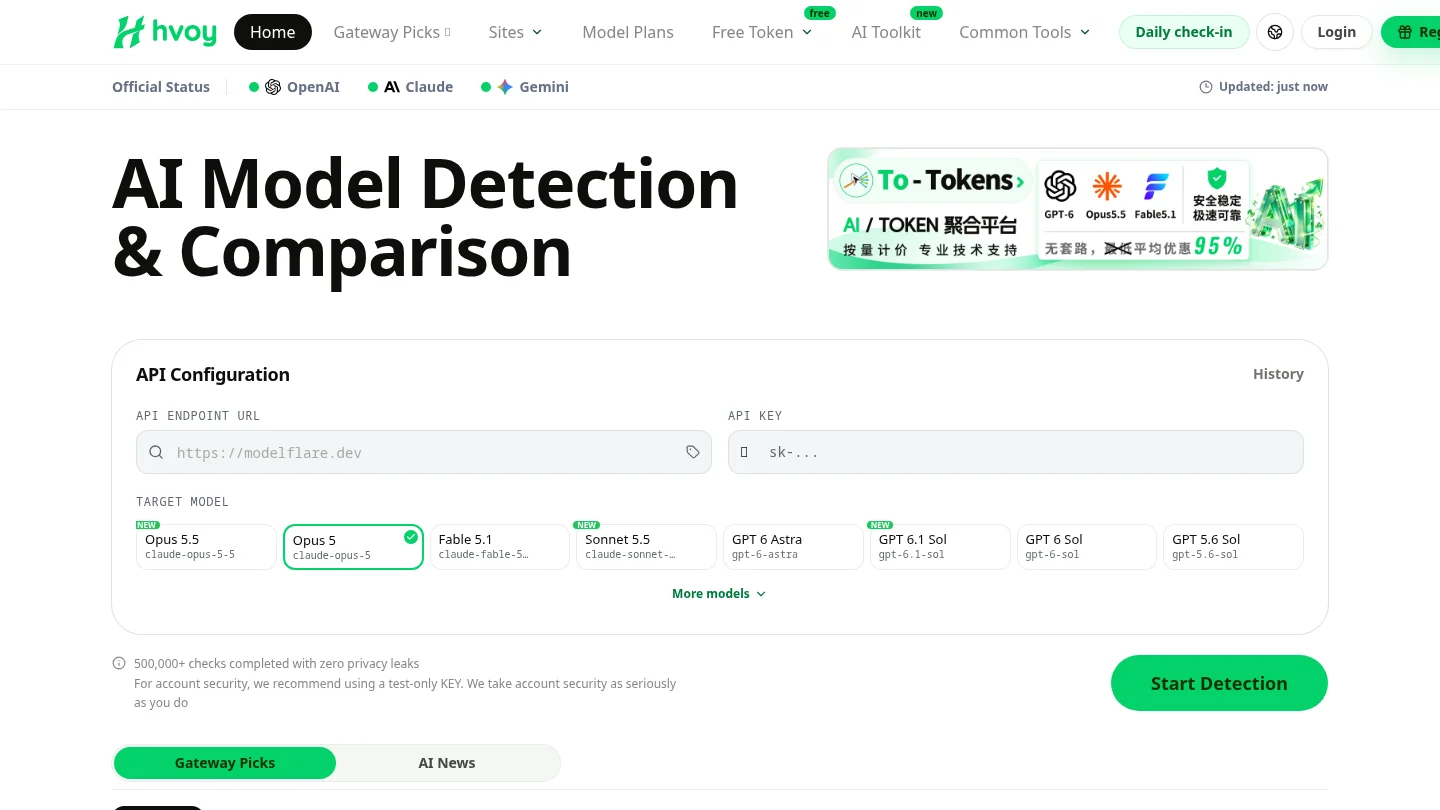
We compare 114 third-party plans, including coding plans, token plans, and resource packages. Our listings help you check supported models and tools alongside quota periods, concurrency, availability, and overage rules; official provider terms take precedence. For API relay services, we also test Claude, GPT, Gemini, and other models using real API keys, and our endpoint checks examine connectivity, latency, response behavior, and model consistency. Those checks concern relay services, not coding-agent results, and cannot guarantee future performance. Review our coding plan recommendations before choosing a plan.
Frequently Asked Questions
What is the best AI coding tool for most developers?
There is no universal winner. Start with a tool that fits your current IDE or terminal workflow, then compare it using representative tasks from your own repository.
Which AI coding tool is best for complex repository changes?
Consider repository-oriented agents such as Claude Code, Codex, Aider, or OpenCode. The best fit depends on your review process, model access, and comfort with terminal or delegated workflows.
Can I use an AI coding tool for free?
Some tools offer free access or open-source software, but model usage may have separate costs. Check the current plan limits and whether you must supply your own API key.
How should I check AI-generated code?
Review the diff, run your project’s tests and checks, and verify dependencies, security-sensitive logic, and edge cases. Do not rely only on an agent’s summary that a task is complete.
What should a team compare before buying a coding plan?
Check model and tool availability, quota periods, concurrency, overage rules, data terms, and administrative controls. Monthly price alone may not reflect costs for frequent or long-running agent sessions.